

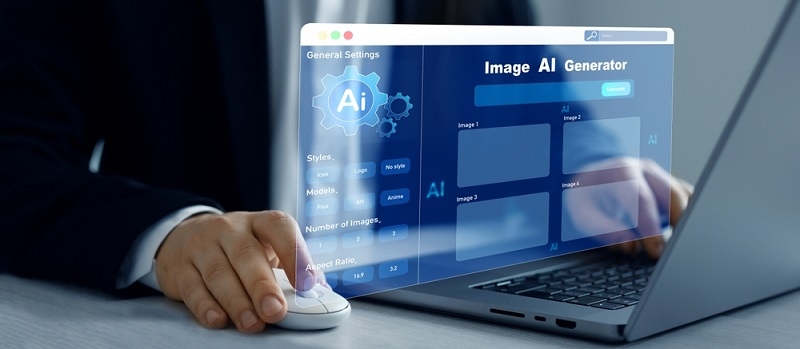
An AI art generator helps people turn short prompts into simple images. It makes AI generated art easy for anyone who needs fast visuals. Many users want the best AI art generator that keeps the steps straightforward and stress-free. This blog explains how AI generated art works, how generative AI art fits into daily tasks, and how simple tools help with small projects.
AI generated art is generated from a text prompt. The tool reads the line and creates a matching visual. It keeps the process easy for people who do not draw or design. They only need to describe the idea.
Generative AI art matters because visuals are a part of everyday work now. People use them for content planning, lessons, layouts, and sharing ideas. Free AI art generators make this simple by removing the pressure of complicated tools. Anyone can test new ideas and create drafts without spending a lot of time.
Top Pick: 5 Influential Women Artists Who Changed Art Forever
Generative AI art helps users finish tasks quickly because the tool responds instantly. It reads the prompt, understands the context, and turns it into a visual. This allows people get images without long waits.
Many depend on these tools when they want fast drafts or simple inspiration. The best AI art generator is usually the one that keeps the process clean. It helps both beginners and experienced users stay productive in personal and work settings.
AI art generation tools assist with various everyday tasks. They turn ideas into visuals without long steps or complex settings.
People use these tools to turn early ideas into simple visuals. These first drafts guide their next steps. The rough visuals help them understand the direction before they spend time on details.
These tools help users prepare visuals for notes, presentations, and daily content. A clear image helps audiences understand the message faster. People use them when they need visuals that fit the point without design work.
AI art generation tools help users explore new looks and styles. They can try many ideas with a few lines of text. This makes it easy to test concepts and find a style that fits their work.
These examples demonstrate the practical applications of these tools in everyday tasks. They help users move smoothly from idea to image.
Prompts guide everything in AI generated art. The tool relies on the text to understand what the user wants. Clear prompts produce cleaner results, while longer ones may confuse the system.
Most people begin with short prompts and then gradually adjust. This helps them understand how the system works and enables them to express their ideas more effectively. Free AI art generators make this level of testing easy for anyone.
Prompts also help users stay in control. By adjusting one detail at a time, they learn how each change affects the final image. This keeps the workflow predictable and straightforward.
These simple tips help users improve their results. They can make the process of creating AI Generated art simple.
Short prompts help the system focus. When the text is simple, the output is usually clearer. Users should focus on the main subject to keep results consistent.
Small changes let users see what each part of the prompt does. It helps them learn step by step. This method works well for beginners and keeps the process easy.
A glance at the image helps users determine if any adjustments are needed. This avoids small mistakes. People often fix minor details during this step to get a cleaner result.
These tips make the process smoother by helping users generate better images with minimal effort.
Must Read: The Role of Art Galleries in Shaping Culture and Creativity
Many free tools help people learn and explore ideas without pressure. These options are easy to use and leave space for trying new prompts and styles.
Craiyon helps users test quick ideas with short prompts. It creates simple images that teach how text shapes the final output. The tool is friendly for beginners and gives quick results.
NightCafe allows users to explore various visual styles with basic prompts. It gives fast results that make experimenting easy. NightCafe Studio made it simple for everyday testing and practice.
Fotor provides users with a clean space to create images from brief descriptions. It helps them understand how prompts turn into visuals. Everimaging Ltd. designed it to fit small everyday tasks.
These free tools provide users with a straightforward way to learn and grow. Each one helps build comfort while keeping the process light and easy.
Some tools stand out because they stay helpful and straightforward. These options are known for precise results and easy steps.
Imagen 3 creates clean images from simple prompts and helps users get natural results. Google designed it to deliver steady output for everyday ideas.
Krea AI produces sharp images that respond well to concise prompts. It keeps the workflow easy. Krea Inc. built it with simplicity in mind for everyday use.
Leonardo AI assists with character creation, object design, and simple drafts. It fits the early planning stages. Leonardo Labs made it flexible and easy to learn.
Ideogram works well for text-based visuals and clean graphic ideas. It understands short prompts clearly. This tool is developed specifically to provide smooth and quick results.
These tools provide users with a range of options tailored to their specific needs. Each one keeps the process simple while offering steady results.
AI art generator tools make visual creation simple for many needs. They help users understand generative AI art and provide a space for experimentation. With clear prompts and steady steps, anyone can create AI generated art that matches their goals without complicated work or pressure.
This content was created by AI